Window specification errors

Hello,

I’m having a difficult time tracking down what causes an intermittent error.

These statements are part of a procedure that is called when the program starts, and each hour thereafter. It checks which server and channel each sensor is connected to and updates the System Components file accordingly.

It runs normally most of the time, but invariably throws an error, at least once per day.

OfflineSensors:

window “System Components”

if error

openfile "System Components"

opensheet

endif

field Channel formulafill tagparameter(systemComponentsChannelList,ROMId+“=”,1)

if error

abortalldialogs

window "Heating System Controller:System Status"

call .Initialize

endif

global offlineSensors

offlineSensors=“”

arraybuild offlineSensors,¶,“System Components”,?(Type=“temp” and Active=“Y” and Channel=“”,Item,“”) //ShellPolled=“•” and

window “Heating System Controller:System Status”

if error

openfile "Heating System Controller"

openform "System Status"

endif

if arraystrip(offlineSensors,¶)≠""

sendoneemail adminEmail,adminEmail,"OWServer Alert: Offline Sensors","The following sensors are offline. Check connections."+¶+¶+arraystrip(offlineSensors,¶)

endif

showvariables offlineSensors

rtn

In the error logged below, it appears that, despite the statements going to the System Components file before doing the formulafill, Panorama is trying to find the Channel field in the Heating System Controller file. I’ve tried anticipating the error with if error statements with no luck. I added the abortalldialogs because a dialog popped up saying {Window “ “ does not exist.} Everything stops after the abortalldialogs, though I tried to have it continue and run .Initialize again.

Panorama Error: .pumpControl / .pumpControl: Field “Channel” does not exist in database “Heating System Controller”
Error Statement: Field
Error parameter: «_PanoramaCookie»

Error stack: .UpdateServerSensorFile Heating System Controller

What am I missing?

Thanks,

Jeff
No one here is going to be able to diagnose this error - there are simply too many unknown factors that you haven’t provided. However, let me try to address what I can piecemeal.

I added the abortalldialogs because a dialog popped up saying {Window “ “ does not exist.}

First of all, a dialog didn’t pop up, and alert popped up. They are not the same thing.

The abortalldialogs statement is designed for use in dialogs, and specifically only for dialogs that are generated via the rundialog statement. It has zero applicability for a procedure like this one. The only use for the abortalldialogs statement is if you are writing code that runs in response to clicking a button in a dialog, and you want that code to close the dialog (usually in response to an error). Basically, you should just forget that the abortalldialogs statement exists (and definitely remove it from your code).


It sounds like you want to eliminate any possibility of an error alert when your code runs. That’s possible to do with the try/catch statements. Using try/catch eliminates the need to put on error after every line of code that could possibly cause an error. This is a complicated topic so I’ll refer you to the documentation.


In the error logged below

How was this error logged? The only logging I know of like this is done by Panorama X Server? Is this code running on Panorama X Server? The mention of «_PanoramaCookie» would also seem to indicate use of a server, because “cookies” are a server only feature.

If this code is running on Panorama X Server then the whole thing is a no-no. On a server you can’t open windows or forms, you can’t use the openfile statement - I would be surprised if any of this worked ever, actually.


part of a procedure that is called when the program starts, and each hour thereafter

Called how? Have you set up a timer, or some sort of external trigger system? And what does “when the program starts” mean? What program?

Since I really don’t have any real idea of what you are doing, for now I’m not going to spend any more time on this. If you could supply a lot more context perhaps I could point you in the right direction.

Jim,

Thanks for clarifying about abortalldialogs. I removed that. I’ll also read about Try and Catch.

The ‘program’ is my Heating System Controller software, which is meant to run 24/7. I don’t use Panorama X Server. The .UpdateServerSensorFile procedure is called just after the .Initialize procedure as the live control of the heating system begins.

Then it’s called once/hour. I wrote this before timers, so I use a variable, sensorCheckTimer, in the procedure that cycles every minute or so. Each time the procedure runs, it adds 1 to the number in the variable. It’s reset to 1 after the .updateServerSensorFile procedure runs.

if sensorCheckTimer mod 60=0 //CHECK SENSORS AROUND EVERY HOUR

        call .UpdateServerSensorFile

endif

I run the following code in the .Initialize procedure and begin each procedure with ‘onerror onErrorCode’.’ The logged text I included earlier was from the alert email it generated.

________

fileglobal errorLogLoad

define errorLogLoad,“”

permanent errorLog

global errorResult,onErrorCode

errorLog=errorLog /* make sure errorLog exists */

if error

errorLog=“” /* initialize errorLog */

endif

onErrorCode={fileglobal errorLogLoad }+¶+

{errorLogLoad=fileload(folder(resourcesPath+“:Error_Logs”),“Error_Log.txt”) }+¶+

{errorResult="Panorama Error: “+originalProcedure+” / “+currentProcedure+”: "+info(“error”) }+¶+

{filesave folder(resourcesPath+“:Error_Logs”),“Error_Log.txt”,“”,superdatepattern(supernow(),“MM/DD/YY @ “,“hh:mm:ss am/pm”)+”----”+ info(“error”) +“:____”+

“Error Statement: “+ info(“errorstatement”) +”:____”+

“Error parameter: “+ info(“errorparameter”) +”:____”+

“Error stack: “+ info(“errorstack”) +”:____”+

“Error executesource: “+ info(“executeerrorsource”)+sandwich( ¶,errorLogLoad,””) }+¶+

{if info(“unixusername”)≠"heatingsystem" }+¶+

{bigmessage errorResult }+¶+

{endif }+¶+

{sendoneemail “”,adminEmail,“HEATING SYSTEM CONTROLLER ERROR - onerror - reinitialize”," "+"Panorama Error: “+originalProcedure+” / “+currentProcedure+”: "+info(“error”) +¶+

"Error Statement: "+ info(“errorstatement”) +¶+

"Error parameter: "+ info(“errorparameter”)+¶+

"Error stack: "+ info(“errorstack”)+¶+

"Error executesource: "+ info(“executeerrorsource”)}

___________

Since the System Components file is always open and I use the window statement before the formulafill, I don’t know why it would look for the Channel field in the Heating System Controller file rather than the System Components file.

Is there any other information I can provide that might help? I’m monitoring Panorama with the Console, so I may be able to go back and see what was happening there next time it happens.

I also see I’ve been confused about how the OnErrorCode variable works. I was using onErrorCode to store code for the OnError statement, rather than simply using the OnErrorCode variable to hold the code.

Ok, you’re using onerror, which is the precursor to try/catch. OnError is much more difficult to use correctly, and in fact you’re not using it correctly. It’s quite possible that when an error occurs and onerror is triggered another error will occur in your error handling code, and then of course the whole thing will blow up.

Specifically, you are using fileglobal variables in your error handling (and remember that permanent variables are file global variables). So what happens if the error occurs when a different database is active? You’re fileglobal variables won’t exist, and the code will blow up. This seems quite likely to happen since your code is jumping around from window to window.

Also, I have no idea where the resourcesPath, originalProcedure, and currentProcedure variables are created. If these are global variables, I guess they could work, but this all seems ripe for mistakes.

I guess I really should revise the documentation to discourage use of the onerror statement since Panorama X introduced try/catch.

I wrote this before timers

I’m going to give some advice that you’re probably not going to want to hear. What I’m hearing is that you want to build an app that will reliably run unattended 24/7 to monitor your heating system. That’s really not the sort of application Panorama is intended for. But if you really want to use Panorama this way, I would encourage you to start this over from scratch using the most modern Panorama X techniques. I would

  • Write the app so that it doesn’t use any visible windows. It’s ok if windows happen to be open, but the code should not rely on that. Use setactivedatabase when you need to perform an operation on a particular database. The application should be able to run with no visible windows at all (this is the philosophy that Panorama X Server uses).
  • I would start the application by checking to make sure all needed databases are open. If not, use opensecret to open them before you do anything else. As mentioned in the previous point, do not use opensheet or openform. If you need to call the .Initialize procedure for a database, you’ll need to make sure that the initialize code does not rely on or use windows. If necessary, you may need to refactor your initialize code so that you have a separate initialize when the database is used normally.
  • Use try/catch to intercept and log errors. Be especially careful to make sure that the catch code does not rely on a particular database being active at the time the error occurs.
  • Perhaps not absolutely necessary, but it would probably be much better to use timers rather than endlessly polling. Timers are quite simple to use.
  • Panorama’s Debug Instrumentation system could be invaluable for debugging an autonomous system like this. My primary motivation for creating the debug instrumentation system was to help me write and debug Panorama X Server, and I don’t think that project would have been feasible without using debug instrumentation. You want to make sure that you add sufficient instrumentation into your code so that the instrumentation log fully documents the operation of the program. It takes a bit of work to incorporate instrumentation into your code, but the reward is transparency into what your code is actually doing, and ultimately confidence that it is all working as intended, rather than waiting around for failures.

Bottom line, I am essentially assigning a significant project for you - sorry about that. But I assume that this is a monitoring task that you are going to want to use for years to come, and the cost of failure is significant. Assuming that’s true, I think the investment in the project I have outlined above will be well worth the up front time required.

Jim,

Thanks for all the recommendations!

I will switch to using the _OnErrorCode variable in each database, so I get the email alert, and start using Try/Catch for specific instances.

Yes, these are global variables created in the .Initialize procedure.

What I’m hearing is that you want to build an app that will reliably run unattended 24/7 to monitor your heating system.

Yes, it’s been running since 2013. Most of my crude error handling consisted of using Hazel with ‘killall Carbulator’ to quit Panorama and restart it when the text file Hazel monitors wasn’t updated.

When I moved it from a Power PC computer this winter, I was left with actually tracking down the errors.

Write the app so that it doesn’t use any visible windows.

I’ll start using setactivedatabase and stop using the window statement. I used to open System Components:Secret, but switched while trying to track down the cause of the current issue.

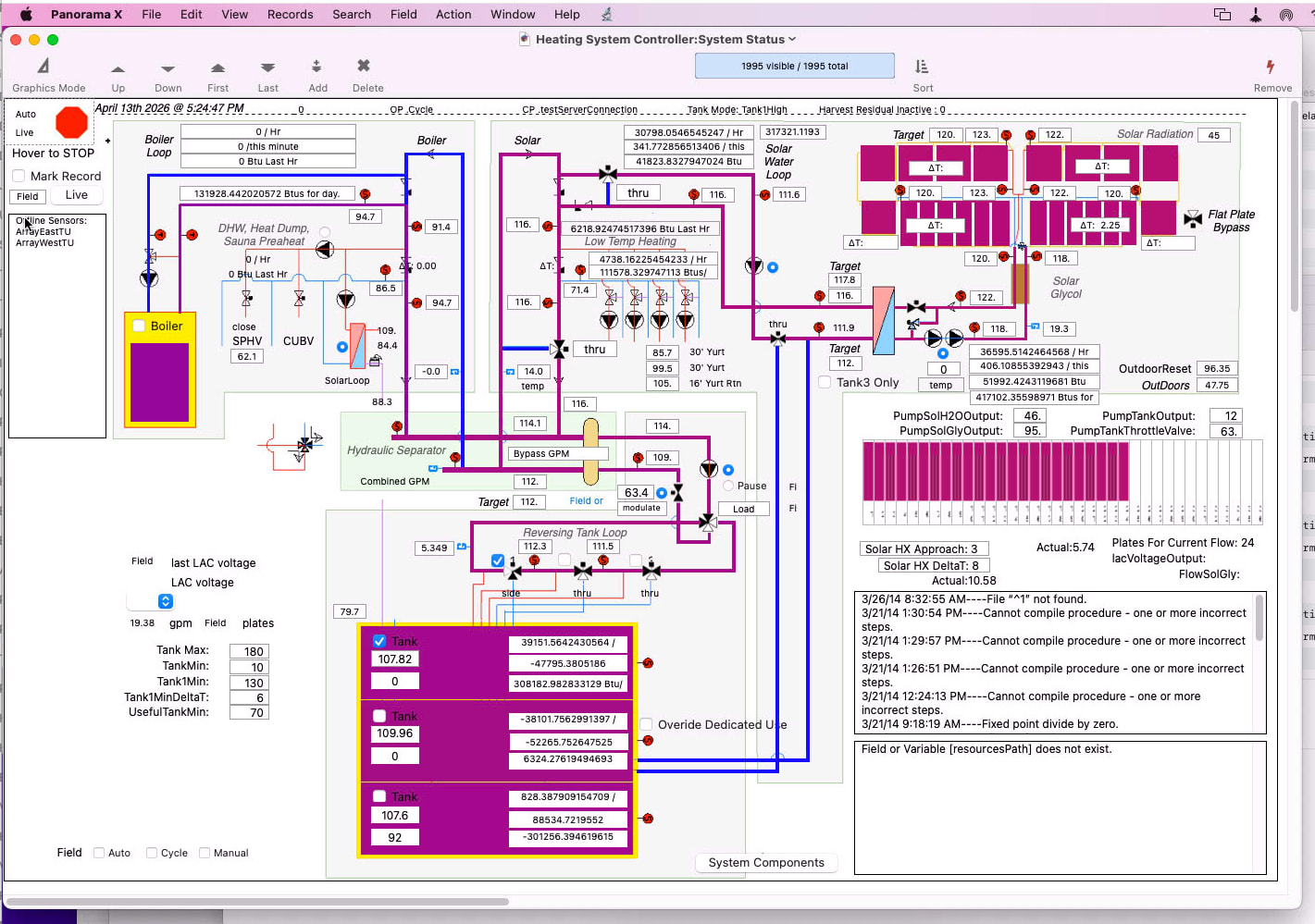
I don’t think I need to reference windows in the code; however, I do need the System Status window open for the Heating System Controller, as it lets me visually monitor temps, valves, and pumps. Thanks to Gary’s gradient code, all the piping, etc., change color based on their temperature.

I can certainly switch to using timers.

I used to use single-stepping and cmd2, I think, to check the flow and content of variables while creating and debugging. I’ve got instrumentation set up for the Console, but haven’t gone all out with zlog statements. I see that that will be helpful.

And yes, when I designed the heating system, I included enough innovations that I couldn’t get an off-the-shelf controller to do the job. Now I’m stuck with a ‘white elephant’ that only I know how to deal with. Not ideal for sure. I will need to do something in the next few years to convert the system to analog, or to use a controller that a local plumber can manage. I’m not getting any younger, and I guess I need to consider those who will be left with the system : )

Thanks again. I’ll keep you posted,

Jeff

I would completely get rid of OnError. No reason you can’t put the email alert inside of catch. You can also put try/catch around all of your code, like this.

try
    all
    of
    your
    code
catch
    whatever error handling you want, including emails
endcatch

This is what Panorama Server does.

If you do that, you can still put more specific try/catch statements if thet is helpful

try
    all
    of
    try
        your
    catch
        special handling of specific error
    endcatch
    code
catch
    whatever error handling you want, including emails
endcatch

You can nest as many try/catch levels as you want.

I do need the System Status window open for the Heating System Controller, as it lets me visually monitor temps, valves, and pumps.

That’s fine, I’m just suggesting that the code should work independently from that or any other window.

And since you’re using that (very nice!) form, even more reason to use timers. The way you’re doing it now, everything is non responsive while your code is running. With timers, it won’t be frozen except for once per hour.

Most of my crude error handling consisted of using Hazel with ‘killall Carbulator’ to quit Panorama and restart it when the text file Hazel monitors wasn’t updated.

Well, that’s one way to do it. And with Panorama 6, the only way to do it. But I think with Panorama X you can get it reliable enough that that won’t be necessary.

Now I’m stuck with a ‘white elephant’ that only I know how to deal with. Not ideal for sure. I will need to do something

Many of us have been there! I think the ideal solution might be something with a Raspberry Pi, but that’s probably a lot more work than you want to do for a one-off application.

I’ve set up try/catch with an email error report around each procedure instead of using onerror.

I’ve also gotten more granular with nested try/catch statements in trying to track down the random errors I’m getting.

The controller can run normally for most of a day, then start getting the errors. Here is the code that’s running when I get the “Field “Channel” is not visible in current window” error. The Channel field is in the System Components database.

try
setactivedatabase "System Components"
zlog "USSF System Components Active"
catch
zlog {USSF Failed to setactivedatabase "System Components"}
opensecret "System Components"
setactivedatabase "System Components"
call .Initialize
endcatch
try
    zlog "USSF Active database for Channel FF is "+info(“databasename”)
    field Channel formulafill tagparameter(systemComponentsChannelList,ROMId+"=",1)
catch
    zlog "USSF Failed Channel FF"
    setactivedatabase "System Components"
    field Channel formulafill tagparameter(systemComponentsChannelList,ROMId+"=",1)
endcatch

This is the console output for the same, after which, the outer catch statement sends the alert email with the error: “Field “Channel” is not visible in current window.”

As you can see, I tried to test to see what database is active after using the setactivedatabase statement. info(“databasename”) returned the correct database, so I don’t know why the formulafill would fail to find the Channel field.

(I made the zlog messages bold in TextEdit.)

Screenshot 2026-04-21 at 9.23.23 AM

Is there something else I should be testing?

First of all, I would think in the zlog after the catch you would want to report the actual error that occurred, which you can get with info(“error”). That might give all of us a much better clue as to what is happening.

Secondly, you want this code to be bulletproof and keep running no matter what, right? To do that, you need to only include code inside a catch/endcatch pair that cannot possibly fail. Or, you need to use another try/catch inside the catch/endcatch pair.

For example, what if the opensecret failed? If that happened, your procedure is going to stop and display an alert - which is exactly what you don’t want. Same for setactivedatabase and for the entire .Initialize procedure.

You’re using try/catch as part of your routine logic. While that’s possible, I think it makes it much more difficult to write safe code. I think try/catch should be reserved for unrecoverable errors, at which point you just log what happened.

Here is my suggestion for this code:

try
    setactivedatabase "System Components"
    if error
        opensecret "System Components"
        setactivedatabase "System Components"
        call .Initialize
    endif
    field Channel formulafill tagparameter(systemComponentsChannelList,ROMId+"=",1)
catch
    zlog "Failed: "+info("error")
endcatch

Note: I’m assuming that your .Initialize procedure doesn’t change the open window or database. If it might do that, you would need another setactivedatabase statement after calling .Initialize.

In addition to info(“error”), you might want to also use these functions for even more detail about what Panorama’s state was when the error occurred:

Thanks, Jim

I’ve updated the code as you suggested. I have a try/catch around the whole procedure that logs the error and sends the alert email with the following info.

"Panorama Error: "+originalProcedure+" / "+currentProcedure+":  "+info("error") +¶+
                            "Error Statement: "+ info("errorstatement") +¶+
                            "Error parameter: "+ info("errorparameter")+¶+
                            "Error executesource: "+ info(“executeerrorsource”)

It returned:

Panorama Error: Live / Live: Field “Channel” is not visible in current window
Error Statement: Field
Error parameter: «_PanoramaCookie»

Error executesource:

I also added info(“databasename”) to the email.

It’s been running smoothly since I posted a couple of days ago. I’ve changed the Console instrumentation scope to Any/Panorama, so if it happens again, we’ll know what else may be going on at the time.

Jeff

is not visible in current window

This means that the field statement failed because the requested field, in this case “Channel”, is not currently visible.

I did some research just now, and I believe this message is only possible when the data sheet is the active window. You’ll get this message if:

  • The field is hidden
  • The field is past the maximum number of displayable fields

How many fields does this database have? By default, Panorama limits the number of visible fields in the data sheet to 150 fields. If your Channel field is the 151st field (or anything after that), you’ll get this error message.

One solution is to increase this limit. That can cause performance problems, but if your computer is reasonably modern that maximum can be doubled or even tripled and still retain reasonable performance.

However, this limit does not apply to forms, and it doesn’t apply to “secret” windows. This is another reason why I recommend using only secret windows for long running tasks like this. I think somewhere a data sheet window is getting opened, and that’s when your failure occurs. Maybe in the .Initialize code?

So perhaps a two pronged approach would be good:

  1. Make sure this code is always using secret windows
  2. Increase the limit of displayed fields in the data sheet.

Plus, make sure that the Channel field is never getting hidden.

The System Components database has 32 fields, and the Channel field is visible in its data sheet window. The Heating System Controller database has 197.

Can that error occur if the Heating System Controller database is somehow still active during the formulafill? I had assumed the error was due to something random interfering with the System Components database being made active.

Can that error occur if the Heating System Controller database is somehow still active during the formulafill?

Not unless the Heating System Controller database also has a Channel field.

That error message means that the current database does have a Channel field, but it’s not currently visible. If the database didn’t have a Channel field, the error message would be different (i.e. “field does not exist”).

A post was merged into an existing topic: New users can’t create new topics