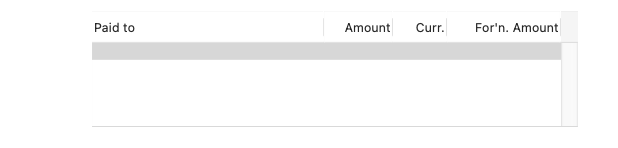
I am using a text list object on a report that is printed as a pdf. Is there any way to hide the vertical scroll bar and the lines between the header field names? I have made sure the Grid checkboxes in the Options panel are unchecked. I am assuming not. So is the best alternative to use several text display objects with arraycolumn( to extract the appropriate data?
Secondly, if I decide to use the textdisplay option is there a way to make it programatically disappear if the underlying array is blank, i.e. if there is no data to be displayed I don’t want the headers to appear. I have played around a bit with the changeobject statement but could not see how to do it
The first step is to name the object in question. In my example i named it theList. Next you have to have the value for the current height (in my example it is 132). The following code will toggle between reducing the height to 0 and then back to 132 on the next run through. This is just to demonstrate a method to start with and you can alter things to your needs.
let startRec=objectinfo(“rectangle”,"theList")
if rheight(startRec)=132
    changeobject "theList",
        "rectangle",rectangletweak(startRec,"height",0)
else
    changeobject "theList",
        "rectangle",rectangletweak(startRec,"height",132)
endif
I probably should resist, but let me suggest that Gary’s code could be slightly simpler. (But definitely + for using the rectangletweak( function, one of my favorites. )
let startRec = objectinfo(“rectangle”,"theList")
changeobject "theList",
    "rectangle",rectangletweak(startRec,"height",?(rheight(startRec)=0,132,0))
However, I think this is a moot point because you probably want to use a Matrix object, see below.
Is there any way to hide the vertical scroll bar
My first instinct was to say yes, but I just investigated and it appears that the answer is no.
the lines between the header field names?
No, those definitely cannot be hidden.
is the best alternative to use several text display objects with arraycolumn( to extract the appropriate data?
If you want more control over the layout then I think you would want to use a Matrix object. Then you can use any layout you want, and as a bonus, the Matrix option does have an option to turn off the vertical scroll bar.
There is, using a white rectangle that matches the edge of the text list. It can be progammatically brought to the front to lay over the area of the scroll bar when printing, then dropped to the back at other times.
 for using the rectangletweak( function, one of my favorites.
  )
)