Text Editor continues to blink an insertion point

Can anyone do a sequence of events such that they can ‘make it happen’?

Here is the sequence of events that will make this happen.

  1. First, create a Text Editor object that is one line high, but does NOT have the option checked to terminate editing when the Return key is pressed.

  2. Next, click in the editor to edit the text. You’ll see the blinking insertion point.

  3. Now press the Return key. This will add a second line of text, though you can’t see it. Apparently this also confuses Apple’s code that causes the insertion point to blink.

  4. Finally, click on some other Text Editor object within the form. You will now have two blinking insertion points. Much earlier in this thread Robert asked which blinking point was the “real” one, the answer is the second one, as you can see by typing additional characters.

What I was missing before was the third step, pressing the Return key. If you skip that step (which doesn’t really do anything), the problem doesn’t occur.

Panorama itself contains 438 forms. I just now went through them and found 11 that had one line high Text Editor objects that were not set to terminate when the Returnn key was set. One of those forms was the Database Server Options panel that Robert posted. I originally told Robert that I couldn’t duplicate his results, but once I realized that pressing the Return key was a necessary step, I could. (Robert, if you had sent me a breakdown of the actions you had taken, instead of just a movie, I probably would have figured this out much faster. I just went back and watched the movie again, and there’s absolutely no way I could have told that you pressed the Return key.)

The solution to this problem is to go through your forms and look for Text Editors that are one line high and DON’T have the Return key set as a terminator. (Someone is going to suggest that Panorama should ignore the option and always use the Return key as a terminator if the editor is one line high. That is very tricky to do reliably because of size variations in different fonts. I won’t say this could never happen but for now the solution is for you to make sure to set this option, and probably make sure that the Tab key terminates while you are at it.)

Except for the initial selection of “All,” the Return key does not delete the contents, but it adds a carriage return. This behavior is not problematic for multiple-lined editors, as the carriage return is visible. However, it causes issues for single-lined editors. For the initial selection of “at End,” the cursor appears to blink normally, but the Return key has already added a carriage return. Unless the editor is tall enough to display multiple lines or a vertical scroll bar is enabled, the cursor cannot move down, resulting in the cursor remaining in the first line. Consequently, any keys entered at this point are hidden in the second line. Conversely, for the initial selection of “at Start,” the contents appear to be removed, but they are actually hidden in the second line.

This is incorrect behavior, and I’ll look into fixing it. In the meantime, there is a hack to fix this behavior. If you run this code on a form, pressing the Return key on a form will just beep.

definehotkeys "windowglobal", "RETURN", |||
zlogalways info("activeobjectid")
if info("activeobjectid")<>0
    closeactiveobject
else
    beep
endif
|||

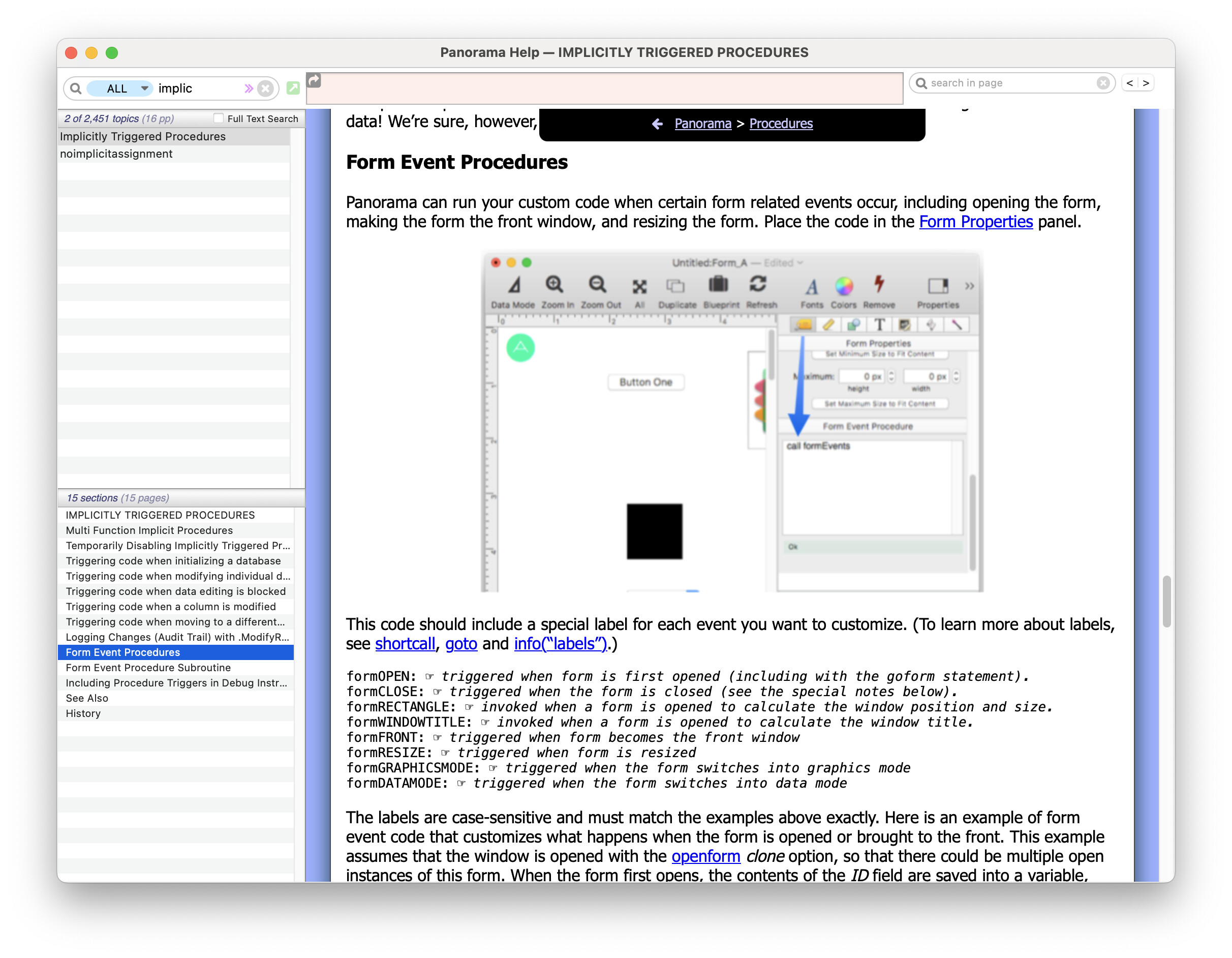
I would suggest that you set up this code to run automatically when the form opens, as described here:
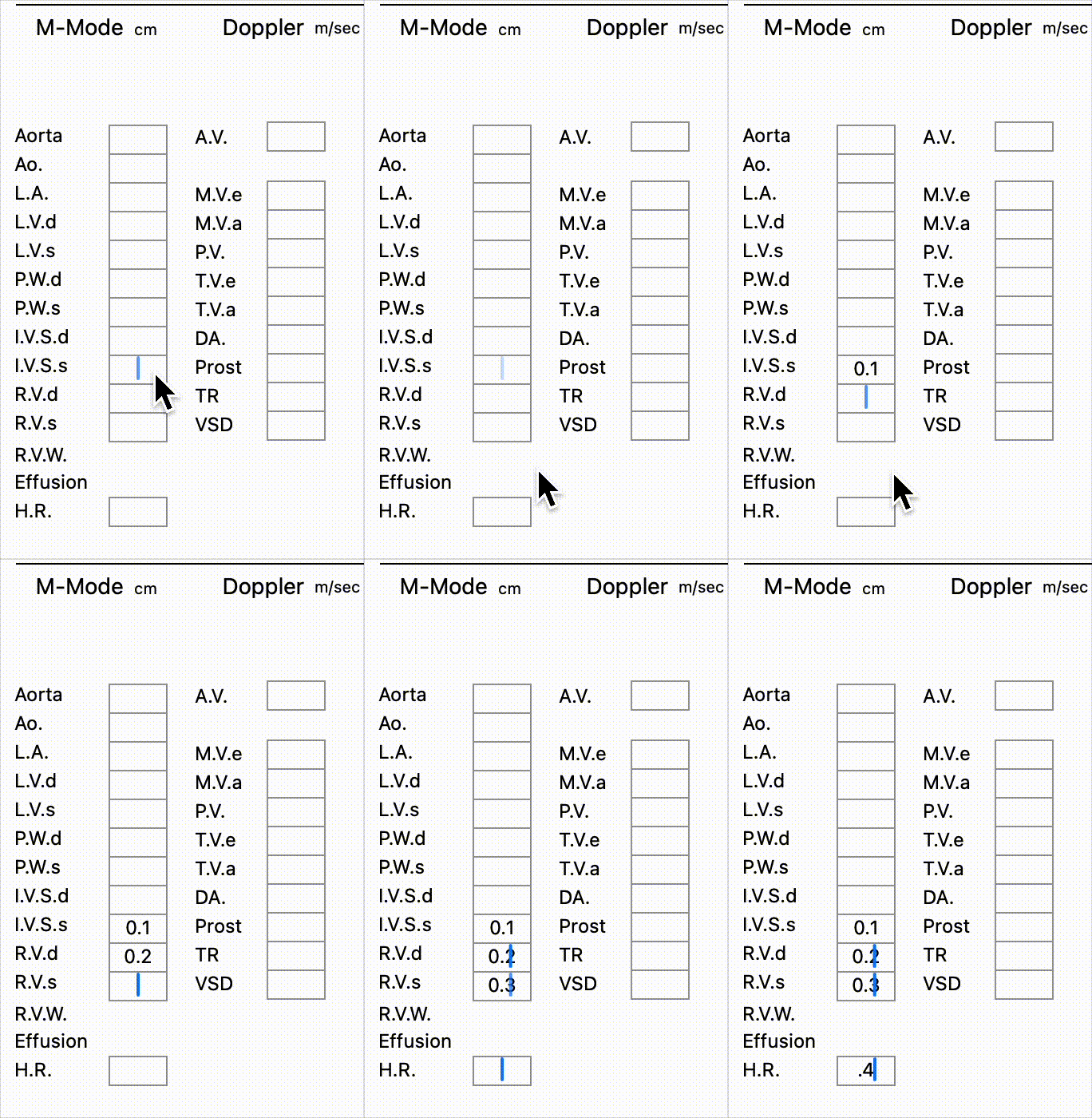
All of the Text Editor objects that were shown in the movie that I sent this morning did have the Return key set to terminate the editing. You can verify that as I sent you the db as well as the movie.

More importantly, I did move from object to object via the Tab key. Listen to the movie and it will be clear that when the entry was made in the Text Editor object and the termination was made, the insertion point was immediately in the next object. There was no addition movement of the mouse cursor to the next object because the insertion point was already there.

This gif does not have sound but it is clear that there is no Return key involved. Only the Tab key. If the Return key was used, and if I had to manually move to the next object, you would see the cursor move to the next object so that a click could be made there. There is no mouse cursor moving to the next object.

Multiple Cursors

Robert sent me the database from his last post so I was able to try it.

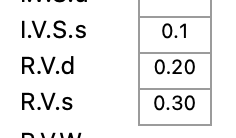
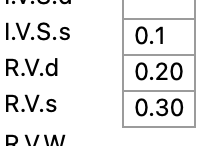
The fundamental problem is that there appears to be a bug in Apple’s code if the text doesn’t fit in the box. If it doesn’t fit, the blinking will persist even when the editor loses focus. In the previous example this happened by pressing the Return key. In this second example the problem is that these fields have a numeric pattern of #.##. So when you enter 0.2, the actual displayed value is 0.20. However, the field isn’t quite wide enough to display that, so the 0 on the end is wrapping down to the next line. Voila - the cursor keeps blinking.

I changed the font size from 12 to 10 and the problem went away.

So if you encounter this problem you either need to make the box wider or make the font smaller. Or you could change the pattern to #.#. Of course the ideal solution would be if Apple fixed the bug, but I wouldn’t hold my breath on that one.

Update. I tried changing the font size back to 12 and changed Line Breaks from Word Wrap to Don’t Wrap, and that also seemed to work. So that’s another option you can try. However in that case it seems like the Center option doesn’t work.

This is incorrect behavior, and I’ll look into fixing it.

I have now fixed this for the next release. Pressing the Return key when there is no active editor will no longer insert a return into the cell - it simply opens the text editor without inserting anything.

I’ll go with that.

So this is feature, not a bug! :wink:

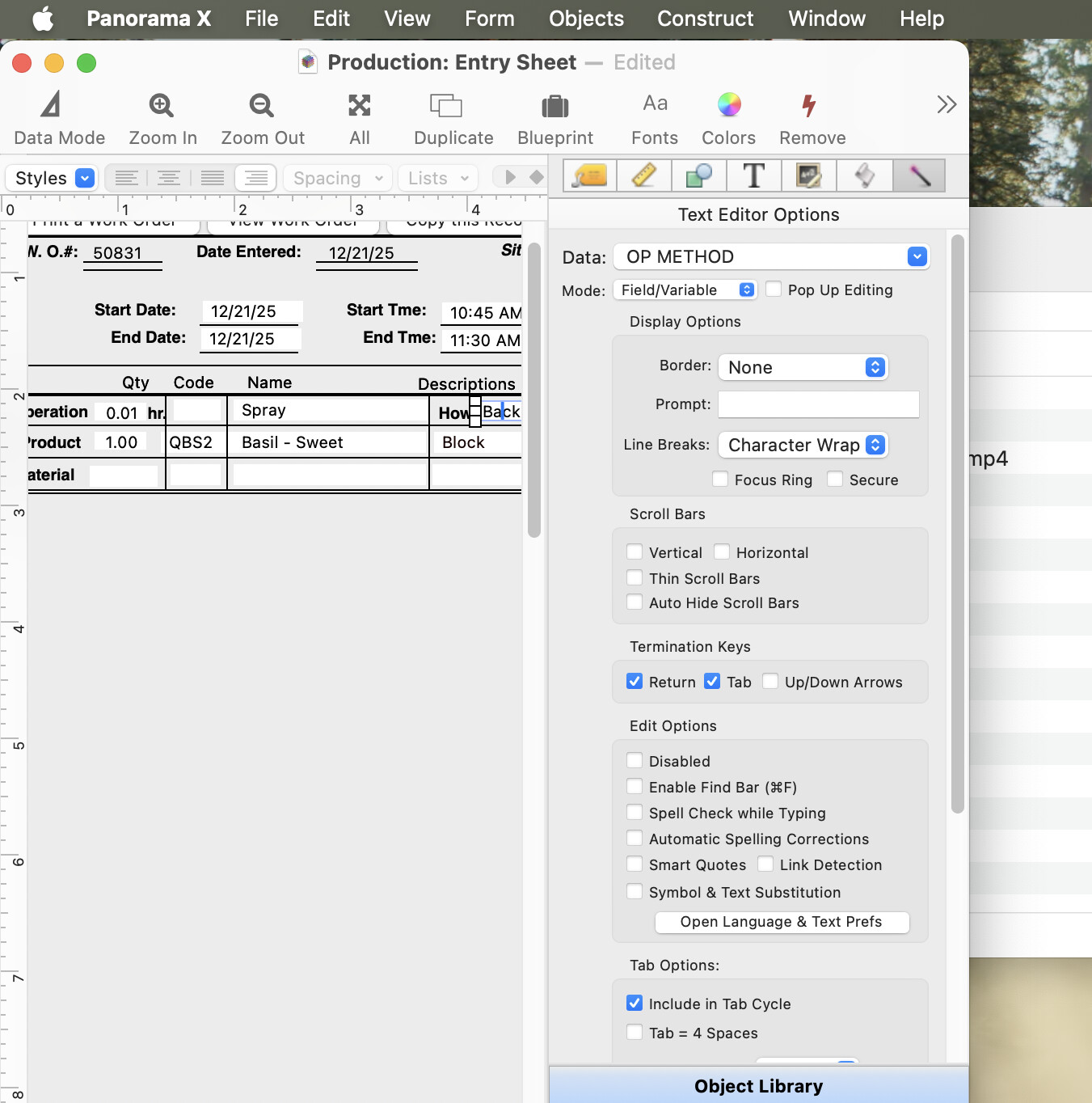
If the programmer has not sized the Text Editor object large enough to fully display all of the data, Panaorama X will continue to blink an insertion point in that Text Editor object to bring this to your attention.

To correct this design error… a) enlarge the Text Editor object, b) reduce the size of the font so that all of the data displays, or c) truncate the data (if the data is numeric, the pattern( function will be your friend.)

Thank you for your time on this one Jim. It was not obvious to me but as is typically the case, it was my fault.

Of course this was not your fault. This is an Apple bug, I think one that has existed for years or probably decades.

to bring this to your attention.

What? No. This is not a feature, it is a bug. The operation of the insertion point is entirely controlled by Apple’s code. The only way Panorama could change this would be to implement the entire Text Editor code from scratch, which would be a spectacularly bad idea.

if the data is numeric, the pattern( function will be your friend

You probably don’t want to use the pattern( function (or any function), you would need to change the pattern in the associated field. Though that would have the disadvantage of also changing the pattern displayed in the data sheet. In most cases, I think making the Text Editor object wider is probably the best solution.

The Delete key also adds a white character [chr(127), not chr(8)] when used to open a text editor. It always beeps, but opens an editor unlike backspace, home, and end keys.

Now that the Return key bug has been fixed, could the input range bug be fixed as well?

With any input range options, Return and Tab are always disabled. However, the Delete key behaves differently. It opens without adding chr(127) when input range option is selected, but it is not disabled and deletes characters.

I remembered this feature while working on the database today and… it works! And one can also set the keys that close the editor too!

The Delete key also adds a white character [chr(127), not chr(8)] when used to open a text editor.

That’s because internally, the delete key is defined as:

0x7F hex is the same as chr(127) (decimal).

I have fixed it so that it no longer inserts the chr(127) character when opening a text editor. (Though why you would ever press the delete key when you don’t have an editor open is completely beyond me.)

could the input range bug be fixed as well?
With any input range options … the Delete key … is not disabled and deletes characters.

Yes, of course. Why would an Input Range affect the operation of deleting characters? There is no bug here, it works as intended and expected.

The issue is with the Return and Tab keys, not the Delete key. These keys should not be affected.

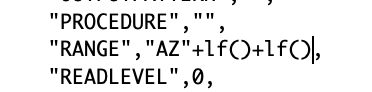
I don’t really recommend it, but you can add line breaks to an Input Range by using the Field Blueprint, as shown here:

image

I just verified that this does work.

I believe you could also do this with tabs, but I really really really don’t recommend putting tabs into data cells.

I thought that the Delete key is represented by chr(8) and the Backspace key by chr(127).

I never knew that the Delete key opens a text editor just like the Return key until I experimented with the functionality of special keys in input range options.

That is great! It works really well. You can even add two tab characters within the double quotes.

No tabs should be used in fields, but they can be used in variables for any reason.

ASCII 8 (BS) and ASCII 127 (DEL) have been the backspace and delete characters respectively ever since the 1960s. However, in the past some systems have used a key generating code 127 to delete backwards, which confuses things somewhat.