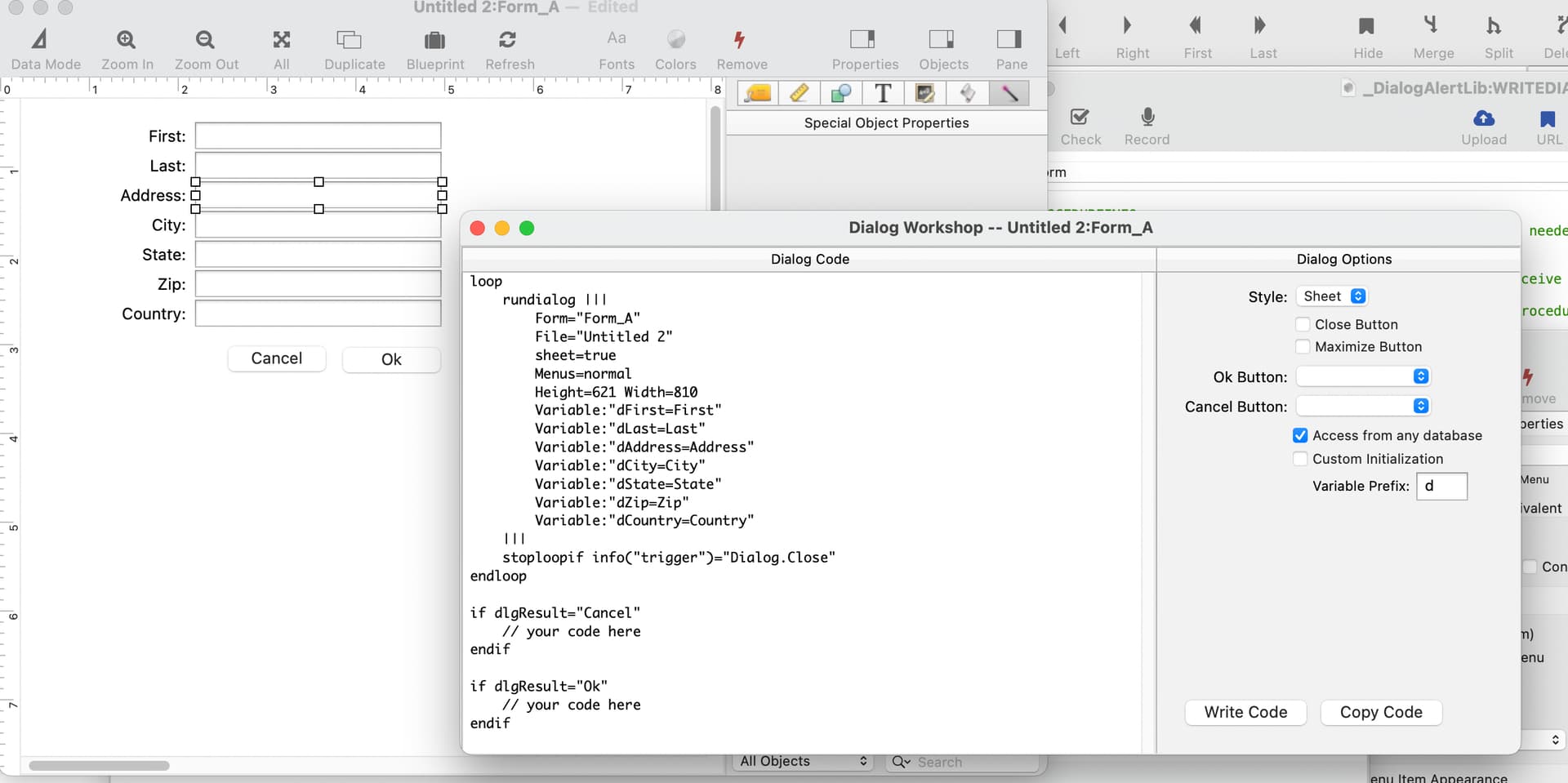
I seem to be wrong quite a bit lately, and I’m wrong again. I did think of this before, and the Dialog Workshop does have code to write the declarations. However, I must not have ever tested it, because it doesn’t quite work. Just a small tweak, and now it does. Well, my copy works, and yours will once the next release comes out.
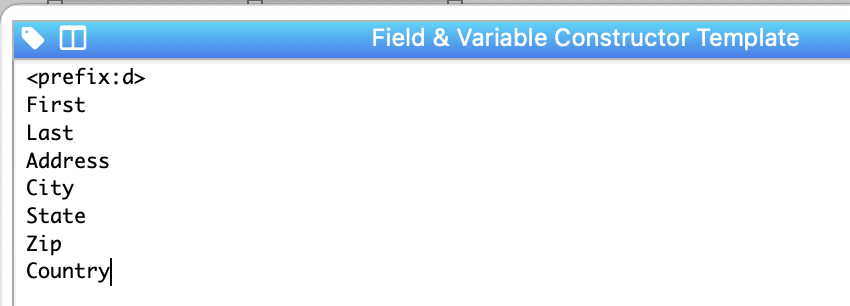
All you have to do is set up your form with Text Editor objects that have the d prefix on the variable names, for example dFirst, dLast, dAddress, etc. You can do this automatically with the constructor (I suspect you already figured that out).
If the dialog workshop finds Text Editor objects that match this pattern, it will automatically write the variable declarations for those objects. It doesn’t do this for all fields - only the fields that actually appear in your form.
While I was at it, I also made it so that you can change the prefix if you want, you don’t have to use d.
OpenSheet

LetFileGlobal FgLast = ""
LetFileGlobal FgFirst = ""
LetFileGlobal FgDOB = ""
LetFileGlobal FgSex = ""
LetFileGlobal FgIDNumber = ""
LetFileGlobal FgError = ""

loop
    rundialog {
        Form="Input Patient Info"
        sheet=true
        Menus=normal
        OkButton="Search"
        Height=300 Width=390
        VariableType=fileglobal
        AutoEdit="LastName"}

        FgError="" ShowVariables FgError
        If Date(«FgDOB») < Date("1/1/1900") OR «FgDOB» = ""
            NSNotify "The DOB must be after 1/1/1900"
            FgError = "Improper date entry"
            ShowVariables FgError
            SetTrigger ""
        ElseIf
            FgError="" ShowVariables FgError
        EndIf

    stoploopif info("trigger")="Dialog.Close"
endloop

if dlgResult="Cancel"
    NSNotify "Not adding a record"
    SetTrigger "Dialog.Close"
endif

if dlgResult="Ok"
    AddRecord
    «Last» = UpperWord(Strip((FgLast))
    «First» = UpperWord(Strip(FgFirst))
    «DOB» = date(FgDOB)
    «Sex» = Upper(Strip(FgSex))
endif
I am wanting to validate that the user has entered a valid date in the DOB field which of course is text in the dialog.
I am also wanting to do a selection of the db, showing the results of that selection in the window behind the dialog reflecting results of the additional information as the user enters data into the dialog. To do this, I have in the Procedure tab of the Last Name TEO