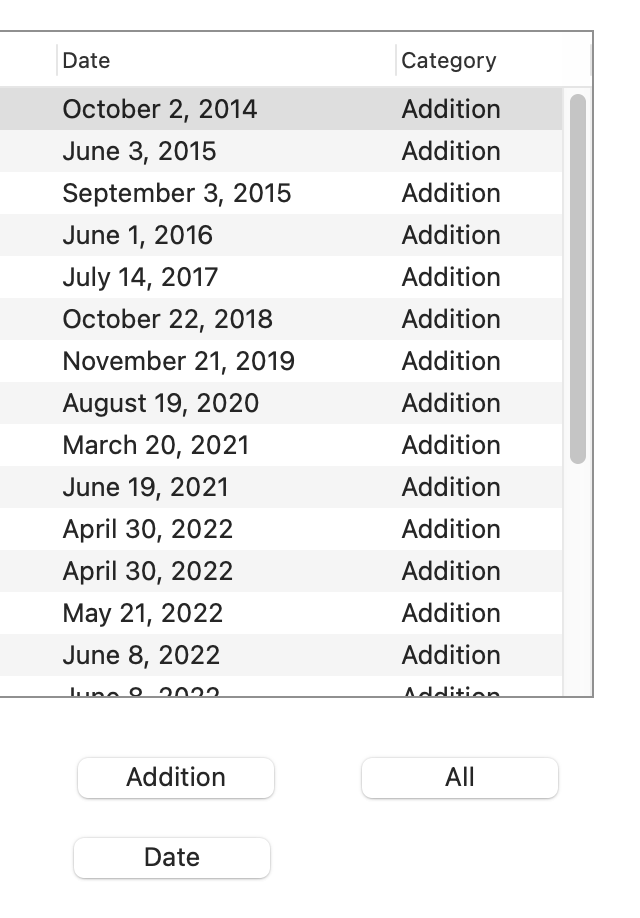
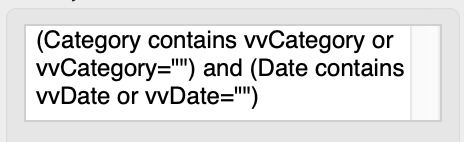
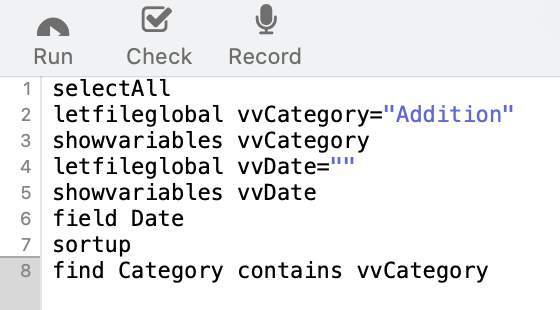
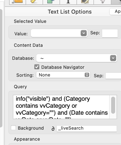
I have a button that calls a procedure to select all and a button to that calls a procedure to select a specific category. These work fine (thanks to kind people on this forum). I have attempted to make a button that will call a procedure to filter by a specific year. I can’t make this work. This is the Query box on the Text List Options:
I have tried too many things to explain here (glad I work on a duplicate of the database when testing). I did search the PanX Help and past forum posts before posting this.
EDIT-UPDATED MY QUESTION: What do I need to do to show only the records for, say, 2017 using a button to call a procedure (ie - how do I write the procedure?)
neonate, I noticed you used a FIND statement instead of a SELECT command at the bottom of your procedure step. Are you sure “find”, rather than “select”, is what you want?
It sounds like you want help writing the procedure from the beginning.
If you can accomplish the selection you want manually, like from the datasheet view, you might check out “119: Automating Tasks with Procedures” in the Help area. It describes how to turn on a recorder and perform your steps manually, then post those steps in a procedure.
In your steps, you can specify a specific data content, like year 2017, then see how that is represented in the procedure, then replace that content with something like GetText that will allow you to input the desired year.
Style is very subjective. This is just how “I” do things. There are many “right” ways. … I like to define my variables in one place, or a place that’s appropriate for the variable. For example, your letfileglobal does TWO things. It defines the variable as FileGlobal and sets a value. I like to define my FileGlobals in a database (file) .initialization procedure. That gives me one place to look for all my definitions. If they need an initial value, I do that in the .initialization procedure too.
With that change, your procedure just needs to assign those fileglobals a value.
So the next question is, what is vvDate? How is the year getting into that variable?
A date is simply a number. It’s the number of days since a specific date a few thousand years ago. It doesn’t contain separate year month and day information, but you can extract that with a datepattern( function.
datepattern(Date, "yyyy")
will extract the year as a string of text. So you could compare
datepattern(Date, "yyyy") = str(vvDate)
You don’t need the str( function if vvDate is already text, but there is no harm in including it anyway.
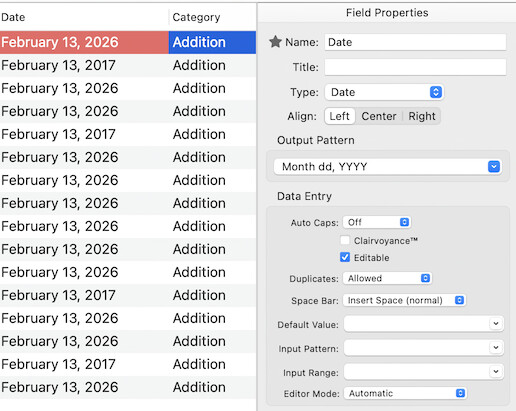
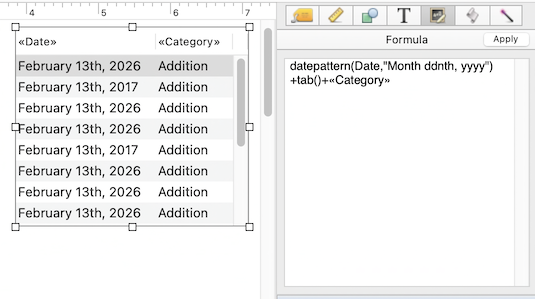
It might be easiest to just show a simplified example of what you are working on. The first thing I’ll slhow is the data sheet with the two fields and the Properties panel for the Date field.
The procedure I use is simply to get a year as text and then select all records containing that year.
let theYear=""
GetText |||Enter year ("yyyy")|||, theYear
select datepattern(Date, "yyyy")=theYear
I named this procedure “Select by Year” and choosing it from the Action menu allows me to enter a year in a gettext dialog and the Text List immediately displays only those records containg that year.
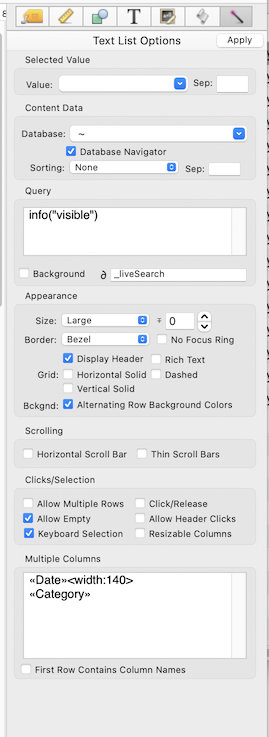
Actually, the first question is whether or not you are using the Database Navigator option is turned on. Text Lists behave completely differently depending on whether or not this option is enabled.
Find seems to be working
No, it’s not. Paul is right, the find statement is not going to have any effect. If the Database Navigator option is enabled, then the select can work. But I’m thinking maybe the Database Navigator option is off, and that’s why you think the find statement is working.
The first thing you need to decide is whether you want this Text List to mirror the data sheet. If so, then you need the Database Navigator option to be enabled. But it sounds like you want the Text List to be independent of the data sheet, in which case Database Navigator should be off.
If the Database Navigator option is off, then selections in the data sheet don’t affect the Text List. In that situation, the Text List is controlled by the Query option in the Text List properties. Note that in this situation the procedure recorder that Paul mentioned does not apply.
I suggest slowly and carefully working through the documentation page that discusses how Text List works with a database.
Not sure. I don’t keep the data sheet open, I use one form and buttons to select which records I want to view. Here’s what I see: When I click on the button “All”, the text list shows all 65 records. When I click on the button “Addition” (which uses the query box and the procedure as outlined above), the text list shows the 24 records whose Category is Addition and the first such record is selected. When I looked at the data sheet it shows all 65 records.
I will read the documentation again. It’s been many months since I last looked at it.
Done. Based on the documentation and the discussions above, I have revised my database - I will use info(“visible”) in the TLO Query box and will update my procedures to use “select” instead of “find”. I think it will be better to have the Data Sheet and the TLO on the forms mirror each other. That way, if I do use the Data Sheet view, the procedures will work appropriately there.
This works wonderfully. I will use this method for some other queries. Thank you.
As always, thank you to all on this thread for sharing your time and expertise.