Preferences –> Favorites isn't working for me

I’ve dragged a db to the start up database section of the window and a couple of other db’s to the favorite area. My Panorama doesn’t seem to save this information. If I select the General tab and then go back to the Favorite tab both windows are empty. I’ve tried saving, quitting Panorama and then opening my selected start up db but only it opens.

Thanks Bill

Panorama 10.2.4

Mac Os 27.0.1

This panel doesn’t work by dragging databases into it. Instead, you need to type the path of the files you want into the panel.

If you don’t want to type by hand, an alternate method is to

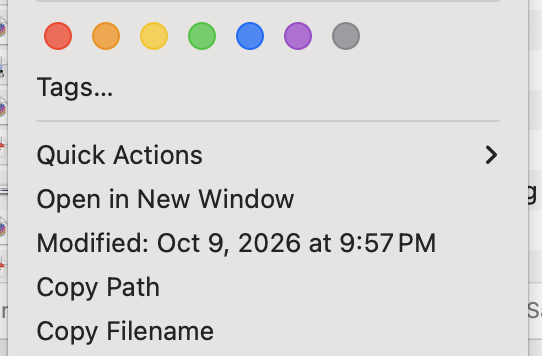
  1. Right click on the file in the Finder
  2. Choose Copy Path from the menu that pops up

  1. Paste the path into the Preferences window.

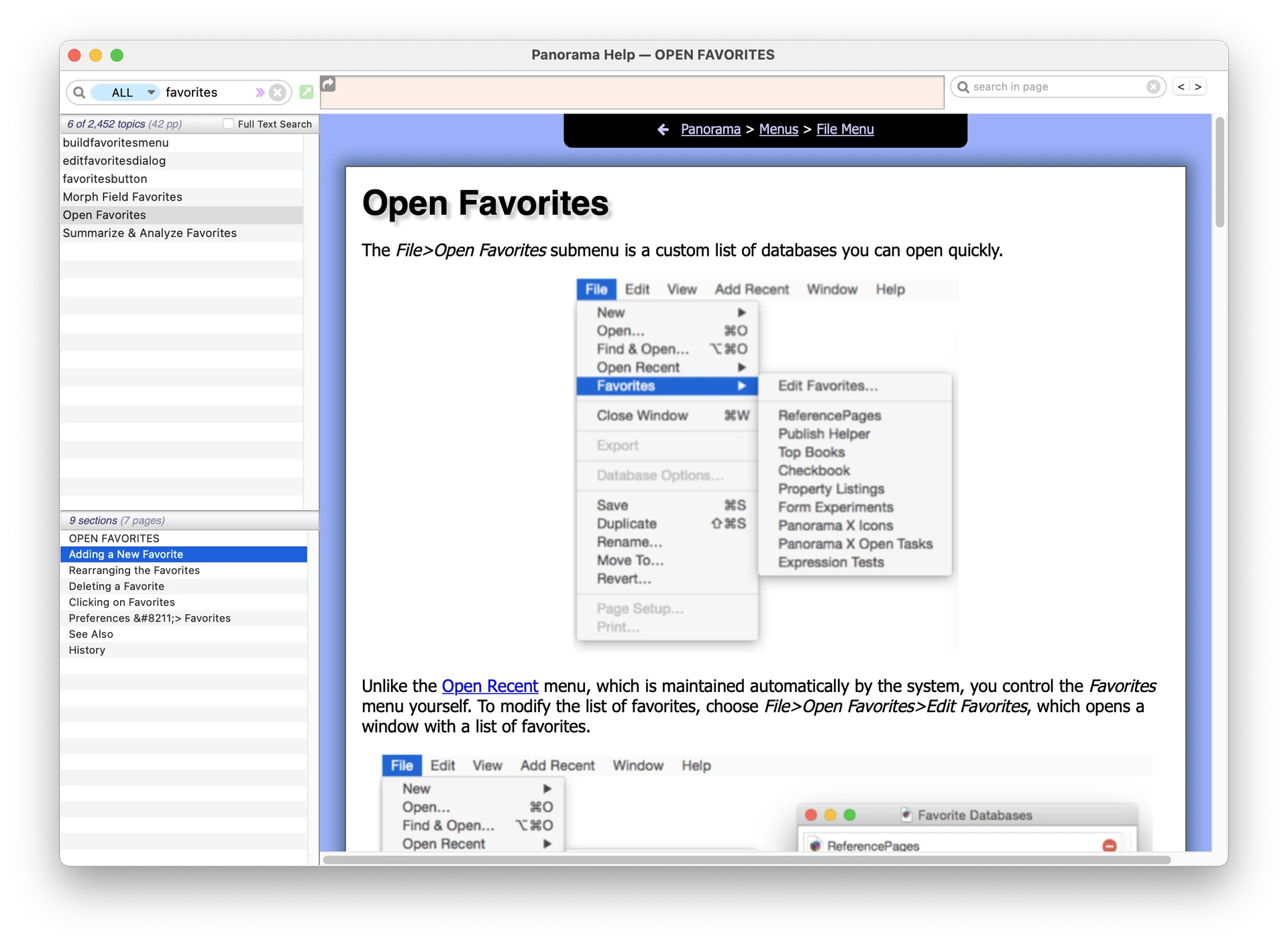
Alternately, you can use File>Favorites>Edit Favorite. This opens a window that does allow you to drag the files in.

However, there is no interface that allows you to drag files in to add them to the Startup Databases list. You have to use the Settings window for that.