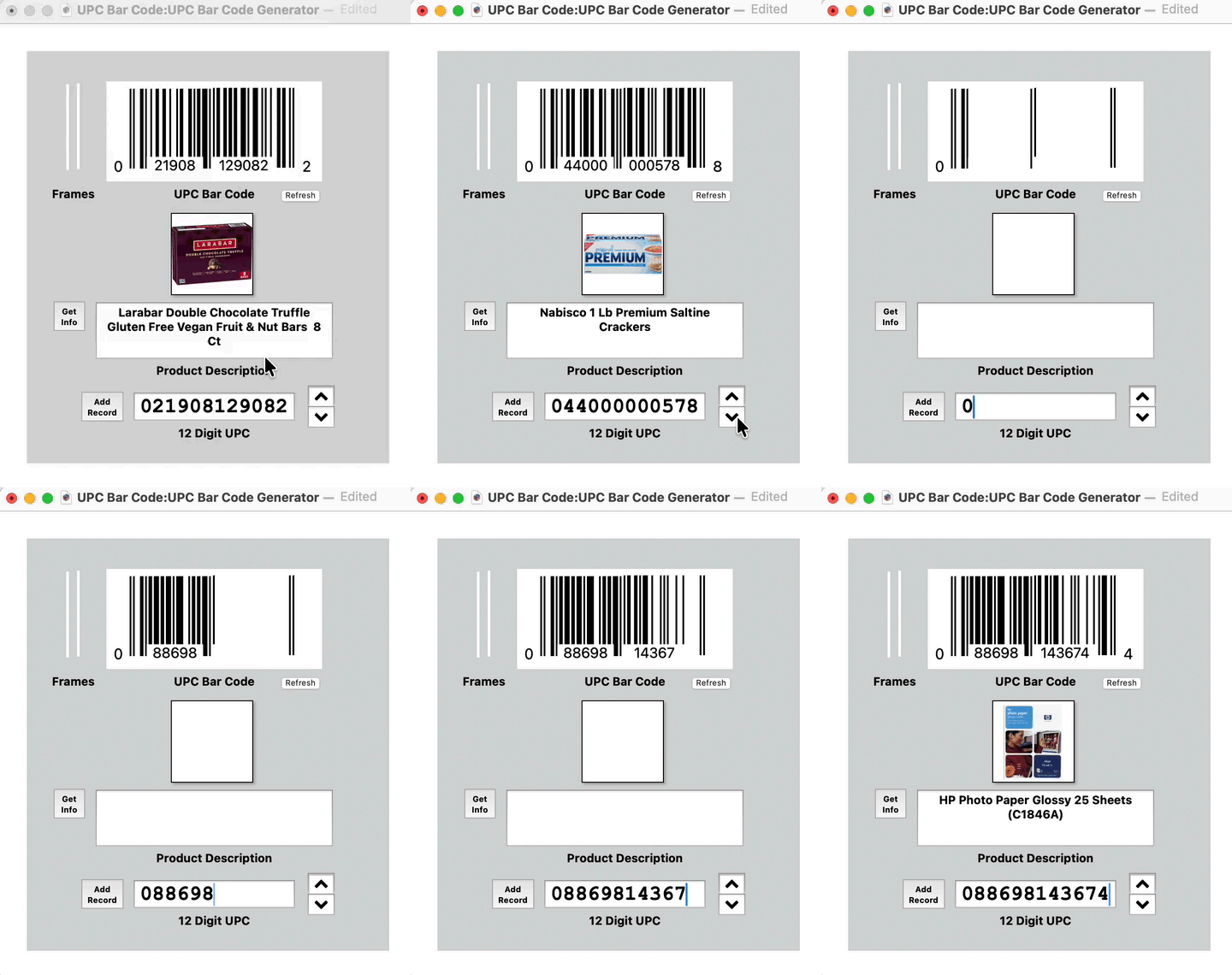
I have added a new experimental bar code generator file to the Panorama Database Exchange called UPC Bar Code. This file allows you to enter a 12 digit product code and have it generate the actual UPC bar code for the product. It then goes to barcodelookup.com to get the description and image of the product. The final 12th digit is also checked for proper checksum and, if wrong, will give you the proper value to be used.
I have tested the printed output at full size and reduced to 1 inch and confirmed that the app on my iPhone is able to identify the related product properly. Since the bar code object and text displays are all grouped together it can be properly scaled smaller or larger.
I have no idea whether or not this is at all useful but it is kind of fun to play with and watch the bar codes being generated. Once entered all the data for the code is saved to the database and can be scrolled through at will.
I have gotten my Pan bar code generating system to work. However, the scaling techniques of Pan are not working if I scale the symbol to 80%. The lines are all 1 point wide and Pan is not displaying .8 point at the correct width and spacing. I use Pan to print the bar code on my product labels.
The first 6-10 digits of a UPC are assigned by GS1 as a unique identifier for each company that has applied for a number. Essentially similar to the first 6 characters of a MAC address being assigned to a company.
Thus, it would not be wise to think that someone could create working UPC barcodes and have other companies make use of them unless the company has been assigned the leading digits.
My example has the text objects grouped with the bar code objects and has the option for the text set to Auto Scale Enabled @ 1.1. This semms to work well when scaling to various sizes.
Gary, I took a closer look at your UPC example and it sure looks to me like you are using an image display object to display the actual bar code - not a text display object. So I don’t understand what text scaling has to do with the display of the actual bars (looks like scaling is only for the printed numbers below the bars).
I would think that you would run into the same problem Greg did if you tried to print bars less than 1 point wide. Greg - Panorama is not intended as a precision engineering drawing tool - it is only designed for a resolution down to 1 point.
Yes, that is the scaling I was talking about. I wanted the text to scale properly when the bar code was resized.
I scaled the bar code down to 1 inch across and printed it on photo paper set to lhigh quality on my cheap Canon printer. It still looked fine and was recognized by my app in my old iPhone as the proper product. But, I never promised anything beyond that anyway.
I finally have my UPC symbols working after changing to a larger labels size for my bunched products. Panorama cannot scale a line below one point or pixel in width so the symbol is about 1.75 inches wide. The technique for printing product labels with UPC symbols in Pan is to first set the screen background to 10% gray, then using 1 point black and white lines, draw out your first symbol. The first six numbers never change nor maybe does 7 and 8 if you only have 10k or 1k of numbers. These and the left, center and right guards are then grouped for the template. For the number positions that do change, draw the bars for each number, group them and name the groups 8-0, 8-1, 9-1, etc. Then stack the bars for each position and insert them in the template. Prior to using a loop to printing each label, the procedure runs the code -
selectobjects objectinfo(“name”) = “8-”+«BAR CODE»[8,8]
bringtofront
selectobjects objectinfo(“name”) = “9-”+«BAR CODE»[9,9]
bringtofront