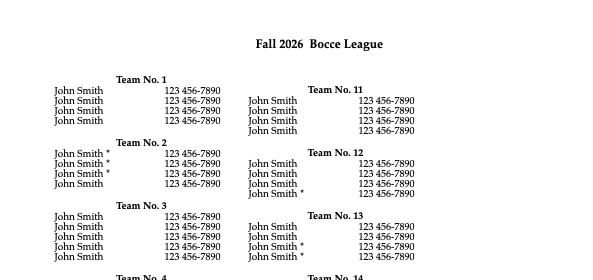
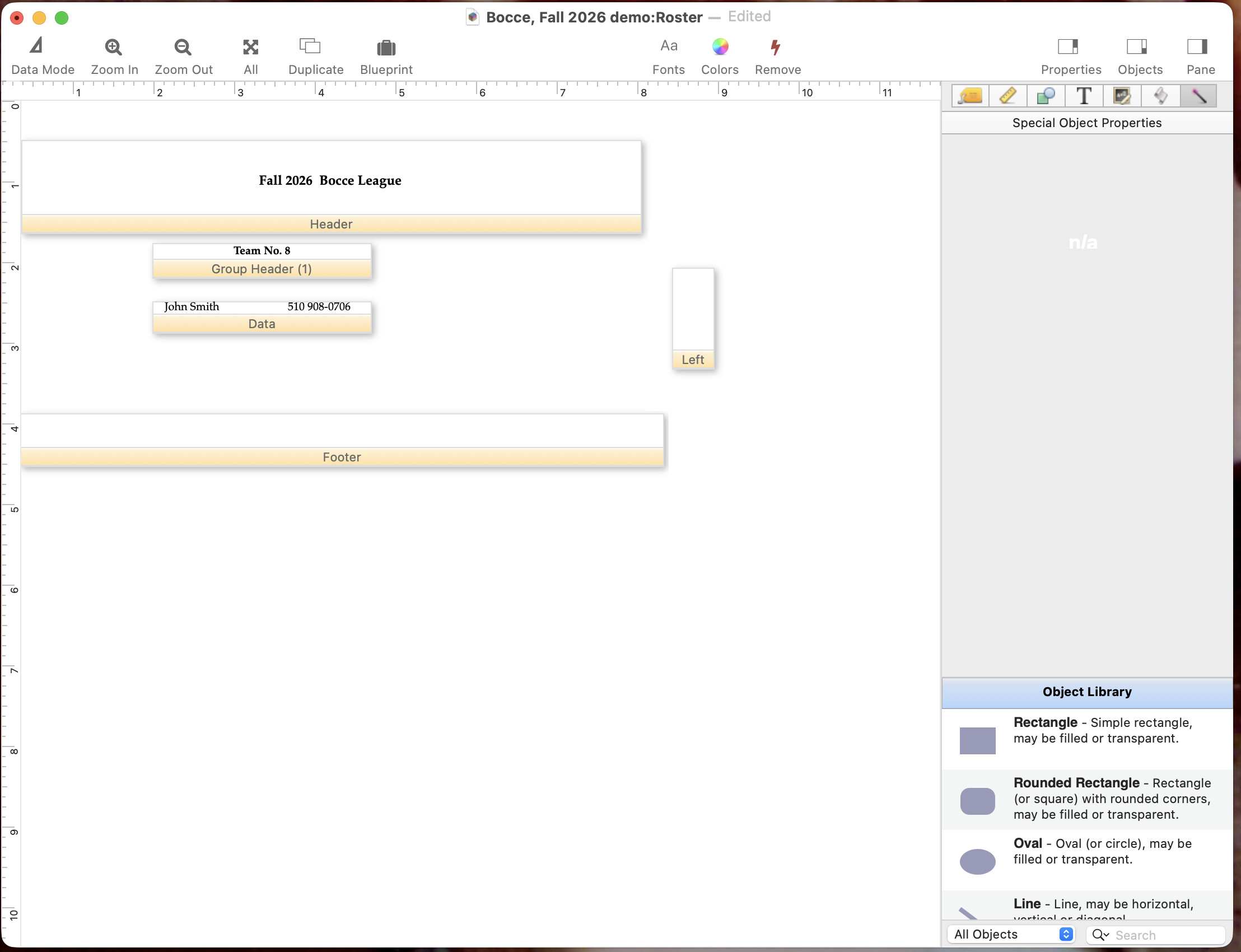
I have been making rosters for a league I play in, with a list of names, associated with each team. To print it out, I group up by the team number, and I have a form with two columns, with a the team number in a group header, followed by the names of the team members in a data tile. The second column has an empty line, I think, before the group header, so that they do not line up vertically. This is cosmetic, but jarring to my eyes.
There is a certain amount of fiddling with the form that I did not need to do with Pan 6 and earlier for orphan and widow control, which I am kind of resigned to, but I cannot see why the column group headers do not line up.
I think I am answering the question you are asking, let me know it this isn’t what youre trying to do. The align tools are very much your friend when you are making view-as-list forms!
It’s hard to imagine that an empty line ( you think ) could cause a vertical misalignment. Perhaps if you shared a screenshot it would be easier for others to offer ideas.
That’s a column wrap. I’m not sure how to fix it, the first column has some extra space at the end which is getting wrapped to the second column. Maybe make the page half size and use page setup to print two of the on every printed sheet?
There is a summary record at the end of each group. With the layout you have set up, the summary record will be blank, but it will still take up vertical space. So I believe that extra space at the top of the second column is a summary record.
I would suggest adding a Summary Tile to the layout, and making it zero height. Then you will probably want to extend the height of the Group Header tile to maintain the spacing between each group. You will probably also want to decrease the height of the Header tile.
Just out of curiosity, I looked at last year’s roster, and it lined up there. Copied the form to a copy of this year’s and it lined up. So the only thing I could think of was that the Group header had different dimensions. Fiddled with the dimensions of the Group Header tile, and then removed the Summary tile, and it lined up. It remains a mystery!