I am trying to move the data from an old 4th Dimension database (really old! from a 2004 version of 4D!) into a new Pan X database.
I still remember enough 4D programming that I can create a custom export method, and I’ve chosen to export data from binary fields as ‘yes’ to represent true in T/F binary fields. (FWIW, the 4D database was a fairly simple mailing list type file, but it’s structured with related tables; this is not just a simple Export operation using tab or comma-delimited text.)
My problem is that when I try to import that text file into my new Pan X file, nothing appears in the binary fields. (At this point I’ve only got the data sheet to deal with.)
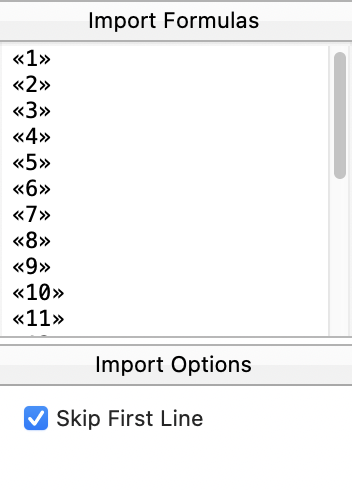
I see that the Import Formulas section at the lower right of the text import window, but it’s not clear to me how to edit those lines to convert ‘yes’ values. I’m willing to do this either way: change my export code in 4D, or convert the data as it is imported into Pan X. Which do you recommend?
In Panorama, true and false are not binary data. They are integers. False is zero, and true is any nonzero number, with -1 being the standard. I think you want the Panorama field to be integer, rather than binary, and then it becomes a question of how to import or export as -1 and 0.
I don’t know anything about 4D, so I don’t really have any opinion on the best way to do that.
Thank you. I’ll edit my 4D export method to use -1 and 0 for values.
I did read the Help files but I found the discussions about binary confusing.
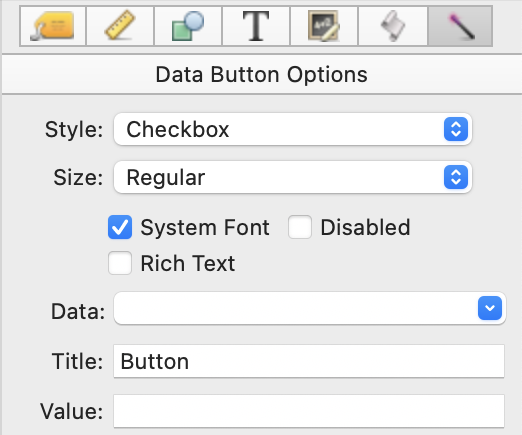
I see that in another Pan X database I created, I used Choice as the field type for T/F. On my detail form, I displayed those fields using Data Button with Checkbox style, and just clicked to indicate T/F when entering data. In the data sheet, I see Yes or blank in those fields.
There was no predecessor from another software for that file, so I never dealt with importing data.
More on this topic. I realized at some point I had used the word binary when I meant Boolean. Some of the data fields I’m trying to export from the existing 4D database are True/False options.
I redid the export code in 4D, so the text I export from there now has 0 (for False) and -1 (for True).
So far in Pan X, I’ve tried using Integer as field type as you recommended. In another effort, I used Choice, with True and False entered on separate lines in the Field Properties panel Choice tab. In both instances, when I import the text to add new records, the Data Sheet displays the 0s and -1s.
I also created an Entry (Individual Record) form and used a checkbox object button for each field. I keep both the Data Sheet and the Entry form visible. When I select a record in the Data Sheet and then view it in my Entry form, none of the checkboxes are checked, although most of the values in the Data Sheets are -1s.
When I click on a checkbox in the Entry form, it displays as checked and the value in the Data Sheet changes to object button’s title. Clicking it again unchecks the checkbox and changes the Data Sheet value to blank. I don’t understand why this is happening.
When I click on a checkbox whose Data Sheet value was 0, the checkbox is checked and the value in the Data Sheet value changes to -1; clicking it again unchecks the checkbox and changes the Data Sheet value to blank.
I’m thoroughly confused by this. I also have some corruption that is causing me to think I have to start this database over again from scratch. I suspect I’ve done something wrong when I added a Text List object to my Entry form. I found that to be a useful in other databases but I may have added information incorrectly this time. (When I view the Entry form, I. no longer see a button for switching to Graphic Mode.)
I understand what you’re saying and will try that.
I’d also like to understand more fully how to apply a formula during an import. There’s a place for applying a formula to any field in the Text Import window:
Got it! Thanks. I’ve already rewritten the export code in 4D to use 0 and -1, but this could be useful in the future if I want to edit data during import. I’ve previously learned to export using formulas, but have never needed to import before this.
One last really basic question: what’s the keyboard combo for typing chevrons that surround field names? Or is there a system for pulling up field names automatically? I’ve looked for that in the Help files but that’s a lot of material to search through. TIA