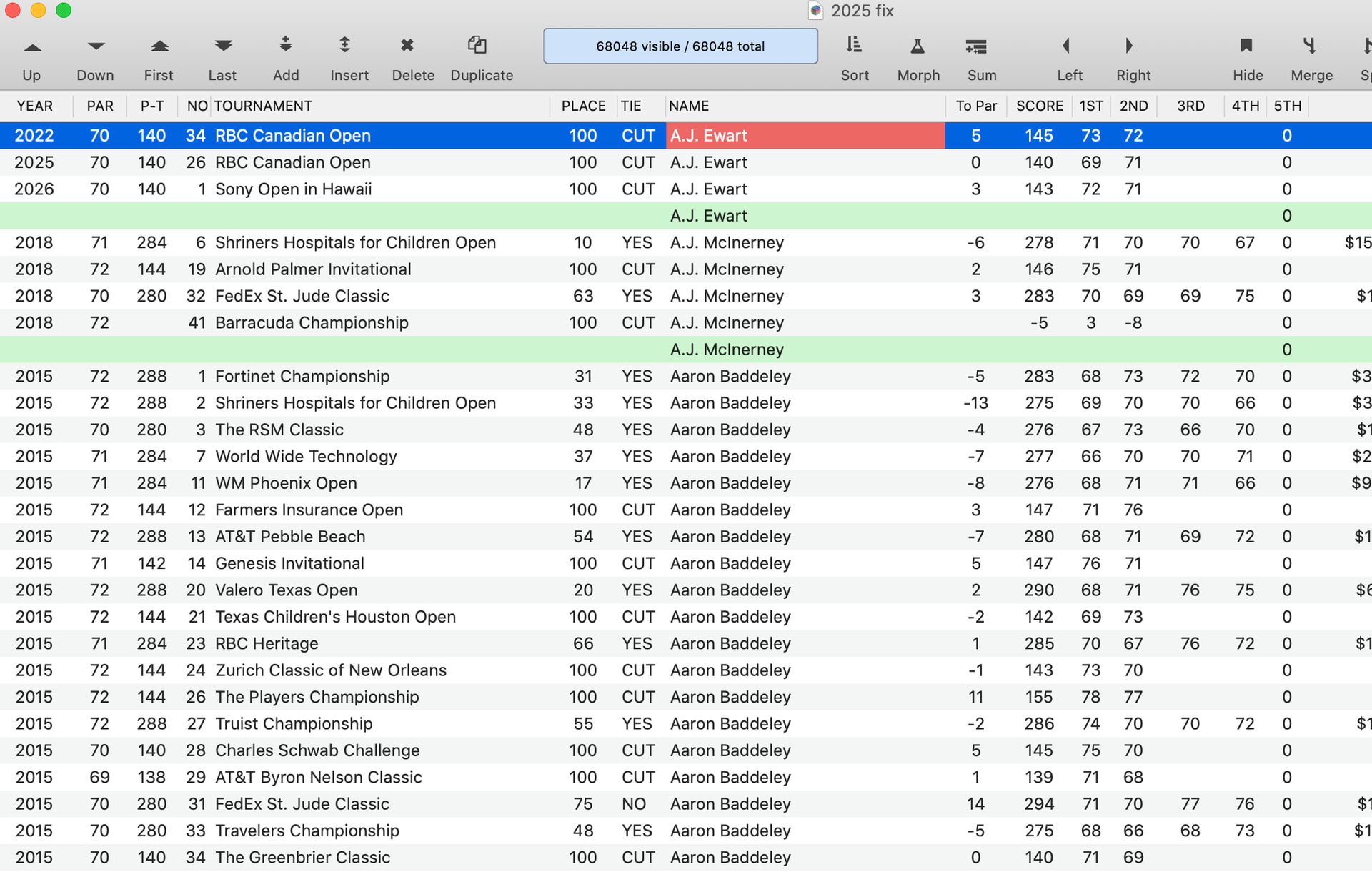
In this file, I am trying to take the record 5TH, count each record, and summarize it. How do I count the records and sum it up for each player???
Sorry Sal, but to a non golfer such as myself, I am not clear on the question.
What does ‘take the record 5TH’ mean? I do see that there is a field titled 5TH but what does ‘take the record’ mean?
I see that you have summarized by NAME. Are you wanting to count the number of records for each person?
You want to summarize. Does this picture already summarize by NAME or are you asking for more summarization?
What does ‘sum it up for each player’ mean? Do you want to total the SCORE field for each player? Or perhaps the 1ST, and the 2ND, etc?
Sorry, it was hard to explain. After I summarize all of the records, I want to count the 5th to see how many events someone played in. So look at the field 5TH, on A.J. Ewart, it would count down 1, 2, 3, and total 33 for Ewart. On McInrney, it would count down 1, 2, 3, and 4, and total 4.
Does that make sense??/
Sorry, it’s a total of 3 for Ewart, not 33
I tired to use the formula seq() but that didn’t work.
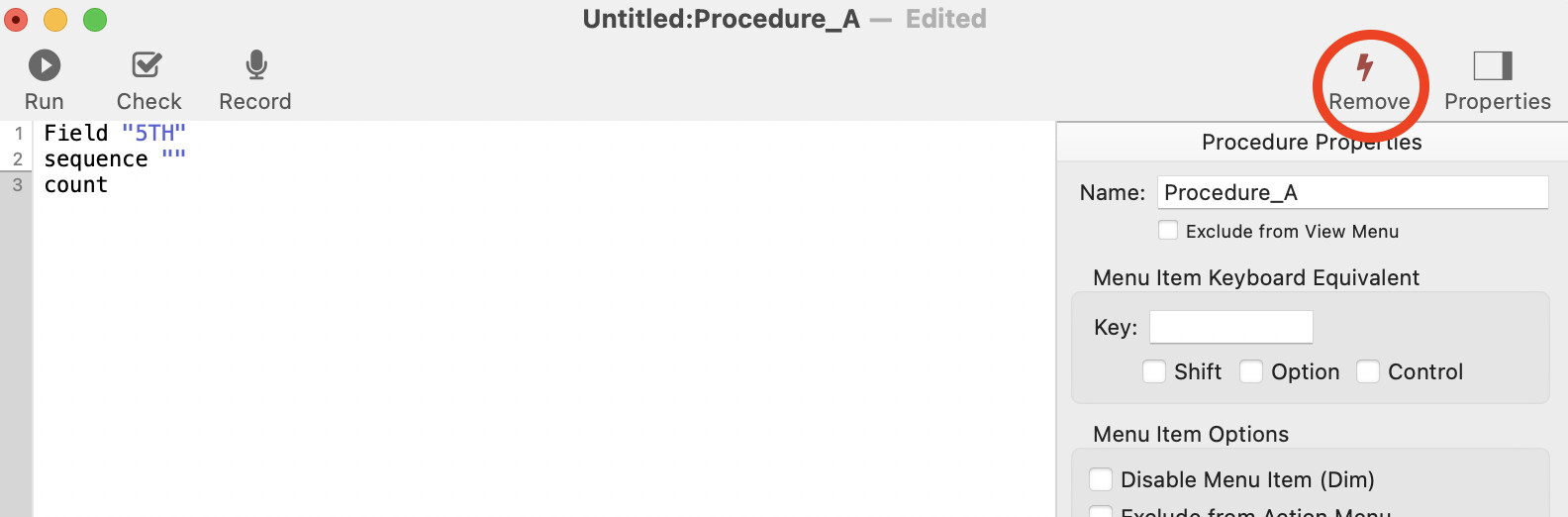
Field "5TH"
sequence ""
count
Golfersal, there’s a bit of an ambiguity because you also have fields 1ST, 2ND, 3RD, and 4TH. If the field 5TH is a “counting field”, then, ‘twere it me, I’d rename it. As it is, the fields 1ST thru 4TH have data, so it could be that field 5TH just hasn’t received its content. If you are also using it as a “count field”, you could lose that eventual content.
You may find it handy to add an extra text, date, and numeric field to your database. It adds very little overhead and can be useful when generating quick reports. For example, you could have a procedure that creates the summaries and counts - using the technique Dave showed, but using your “extra” numeric field - then remove summaries and clear out the content of the extra fields when done with them.
You can collapse to the summary level you want, then export/import just those summary records to another database that has the forms that format that summary data for the kind of visual/printed report you want
Dave,
As you see in this snapshot, I tried to morph and fill in formula and got an error message. What as I doing wrong?
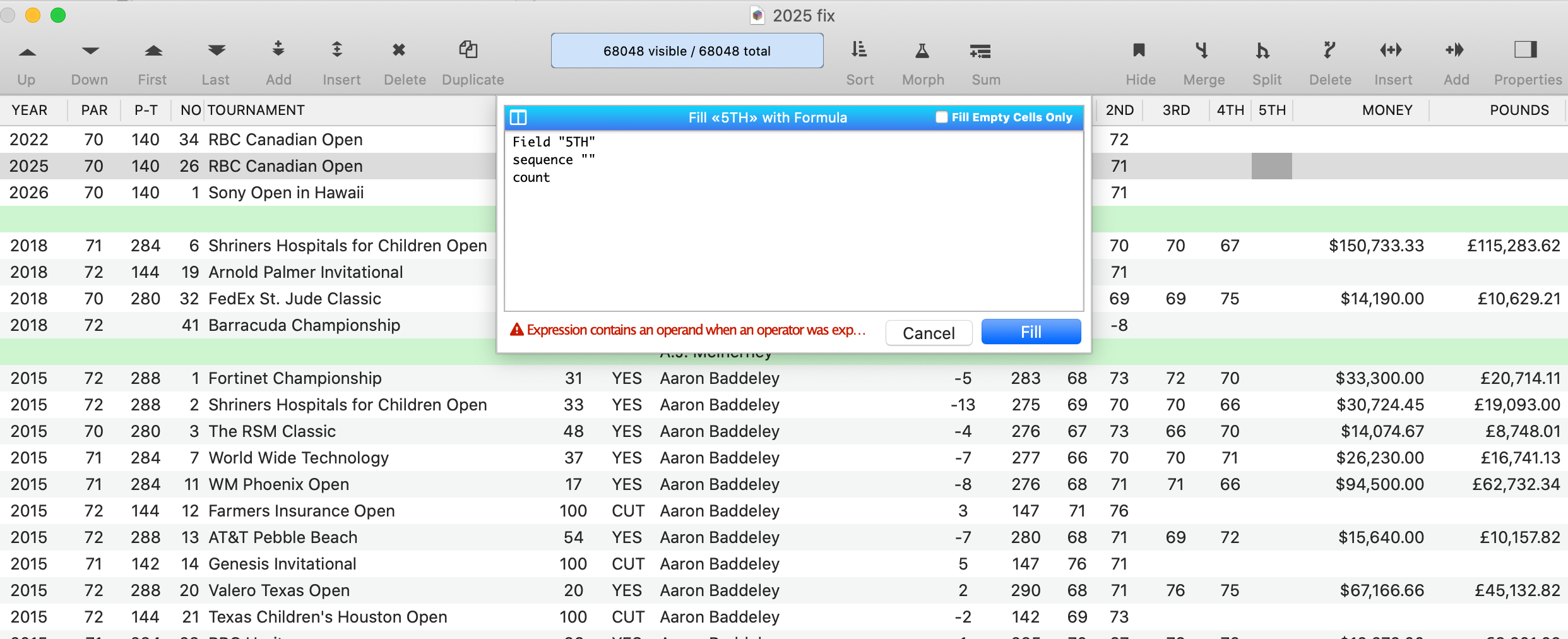
That was a procedure, not a formula. Field, sequence, and count are all procedure statements. Write a procedure with those statements and run it.
Dave, Sorry but don’t know how to do a procedure statement. How do I do that???
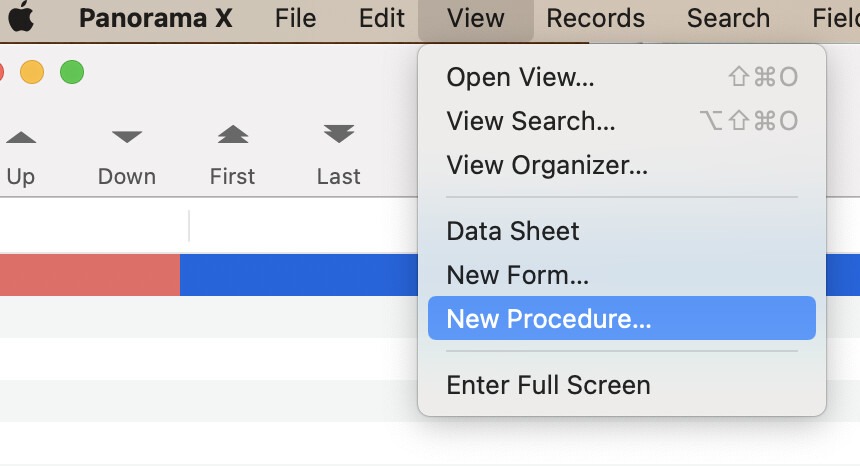
Choose New Procedure… from the View menu
Then paste my code into the window that opens.
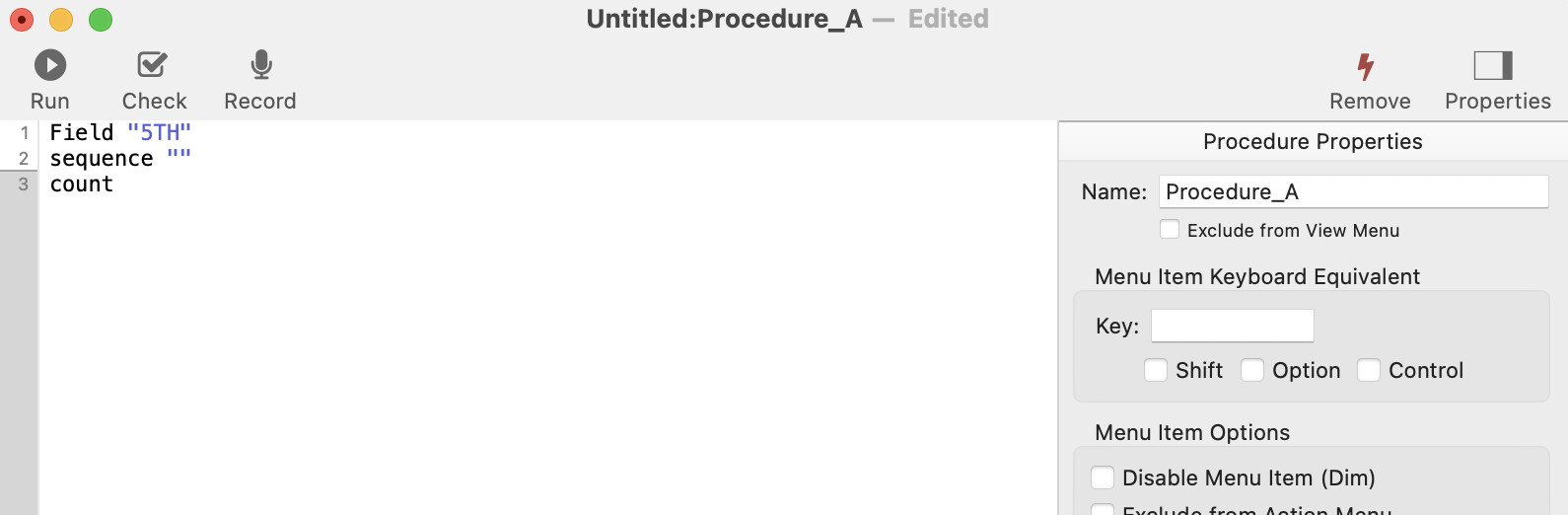
Then you can run the procedure from the Action menu.

If you intend to use it again you might want to change its name to something more descriptive. Otherwise, you could just remove the procedure when you are finished with it.
Dave,
I got it, and it works, thanks.