The document “1CORE DAILY DIARY as of 3-5-2026 copy.pandb” could not be opened. The database is damaged (data.plist component is missing).
SO once I get this message, is there any way to open the database?
I have unchecked the database integrity feature in advanced preferences, but it will still not open. My plan was to open it, and save it again, then turn on the integrity feature. I must be missing something.
This message isn’t telling you that your database might not have integrity, it’s telling you that a major component of the database simply isn’t there. You might be able to drive your car with a nick in the windshield, or even with low oil in the pan (though probably not far), but you definitely aren’t going anywhere if the wheels are missing!
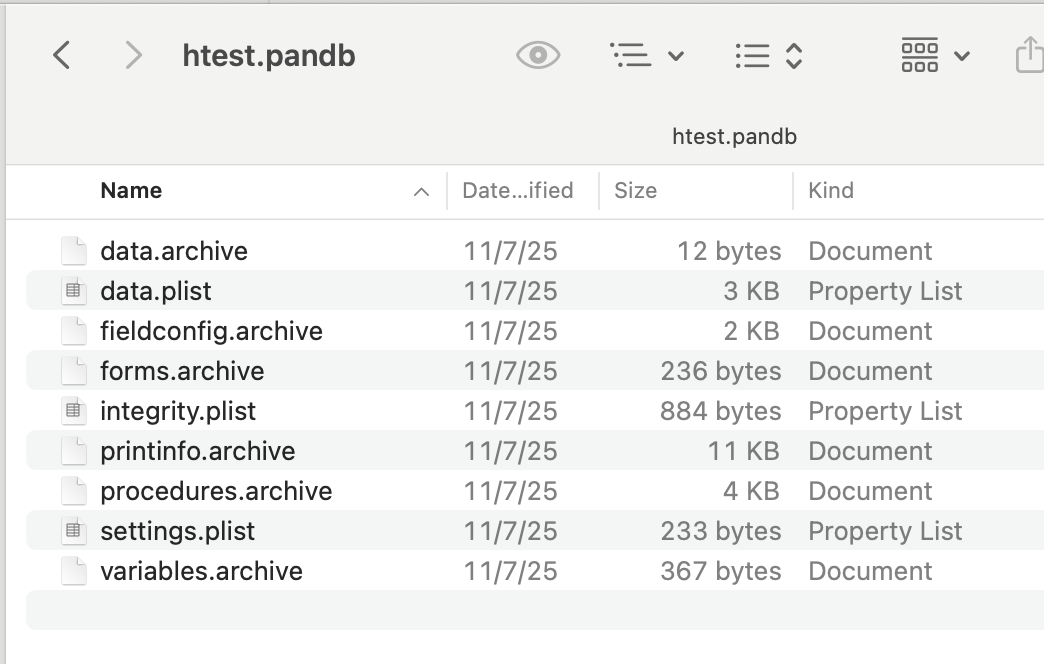
I wouldn’t be surprised if this file is completely empty. Does it say zero bytes in the Finder? Once Panorama notices that data.plist is missing, it’s not going to check further, but I’ll bet data.plist isn’t the only component missing from this database. (But even if it IS the only missing component, you’ll never be able to open this database.)
If you right click on a Panorama database icon in the Finder and choose Show Package Contents you’ll see all of the components in the database. If any of these components are missing, the database is irretrievably damaged.
The one exception is the integrity.plist component. If integrity.plist is missing, Panorama won’t be able to check the integrity of the database, but it will still open. (In fact, any database saved with Panorama 10.1 or earlier will NOT have an integrity.plist component.)
Most likely this database was damaged by something outside of Panorama. For example, I think that trying to transfer it using a PC formatted USB stick might cause this sort of damage. Not saying that’s what you did, just giving an example of how something like this might happen.