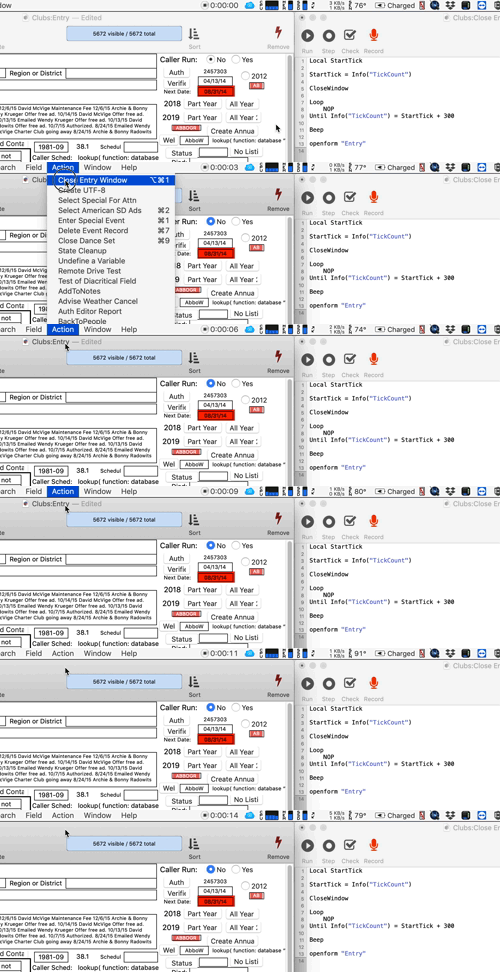
Nothing happens when I trigger this procedure.
I did find that the CloseWindow did work if I removed the following OpenForm “Entry”. But as I really did need the window to close (to resolve an interface problem), more work was needed.
I then tried putting in a delay. Still no luck to get the window to close if I then wanted it back open. Creating 2 separate procedures is what I’ve had to do unfortunately.
Once I tried this the form could not be put back into the “Closeable”,”Yes” mode and there was no way to close the form. I had to quit and revert to get the form back to closable mode. Yike!
The suggested code implies that within a procedure, the window is set to be ‘No’, then within that same procedure, it is then set to ‘Yes’ again. I am not understanding the usefulness of that.
If I remember correctly, it used to be possible to intercept the user’s attempt to close a window and we could then decide how to handle that. I’d like that ability again but can not see the path.
My users like to create a new record, do a lot of work then decide that they really don’t want to have that new record, so they close the window thinking that that cancels their work. I am needing to clean up after them so that there is not garbage records half complete. How can this be handled?
Sounds to me like what you are describing is a dialog. Rather than try to re-invent modal dialogs from scratch, I would recommend that you use the excellent tools built in to Panorama for that. This gives you complete control over the entire lifecycle. You could give the user a Submit and Cancel buttons to make these operations explicit.
I would recommend that you use the sheet option, to make a dialog sheet that is only modal to the current window, but allows the user to switch to other windows.
There is no dialog here. If it was a dialog, things would definitely be different. With the amount of information that is being gathered and anaysis that is being done, there is no opportunity to be using a dialog. The form is essentially a complete report with 31 popdowns, 37 data entry boxes, 9 buttons that initiate procedures, dynamic graphics etc. I just want to catch that everything on this record can disappear when they want to close the window to say forget about it, instead of using the buttons that are already there. I need to be able to audit their work before they leave the record. It can easily be that the user has not entered a key value that is used to track one record from another.
I understand that you’re not currently using a dialog. But the application you’re describing is modal, so I think you should be using a dialog.
The form is essentially a complete report with 31 popdowns, 37 data entry boxes, 9 buttons that initiate procedures, dynamic graphics etc.
There’s nothing that prevents a dialog from having 31 popdowns, 37 data entry boxes, 9 buttons that initiate procedures, dynamic graphics etc. In Panorama, a dialog is just a form that has been opened in a modal window.
I need to be able to audit their work before they leave the record.
In this case I think you mean before they close the window.
The original MacOS operating system allowed an application programmer (i.e. me) to completely control the lifecycle of the window. So you could do things like override the close window button, and/or run custom code when a window closes. The modern macOS (OS X) operating system does not provide this sort of control. So the type of operation you are wanting to do here is never going to be possible in Panorama X.