I can make edits via a form but when I click to edit any data cell on the datasheet, all I get is a feedback sound without any edit capabilities.
The file was a shared file with the same situation. I’ve turned it into a single user file but the issue is the same.
I tried File/Export/Blueprint. After creating a New Database from the blueprint, the new Untitled database was also not editable at the Datasheet level but was editable at the Form level.
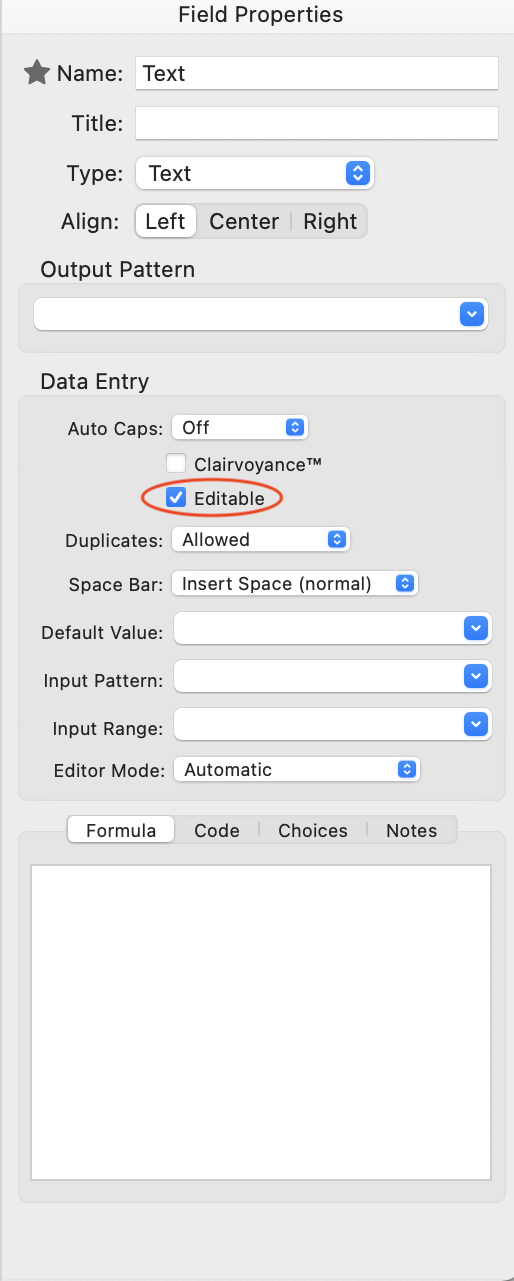
I can duplicate this field by field by unchecking the “Editable” property in the Field Properties for each field. I don’t know how to do it to the entire database at once.
Dave, you are correct in your identification of this issue. I had looked at the properties of some of the fields and had misidentified the status of the Editable checkbox as normal with it unchecked.
The quick fix was then to use the DisableFieldEditing statement. Interestingly, I did just feed it one field name but in fact all fields were then enabled. I was expecting that I would then manually enable that single field. I had not previously made any use of this statement but was happy to find it.
According to the documentation, if you pass one field name to the DisableFieldEditing statement it will disable editing for that field, but enable editing for all other fields.
If you want to enable all fields (which it sounds like that is what you want) you would just use an empty field list.